Defi has been a major contributor to the Binance Smart Chain taking off recently. Along with increasing gas costs on Ethereum mainnet which are actually at one of the lowest levels since a long time at the time of this writing, but will likely pump again at the next ETH price pump.
So how does one deploy to it and what actually is the BSC?
What is the Binance Smart Chain?
Historical context: The name and dual-chain architecture below describe the 2021 ecosystem. BSC is now called BNB Smart Chain, a separate Layer 1. Beacon Chain subsequently reached its final sunset; its old staking and bridge role is not the current architecture.
Binance Chain launched in April 2019. It's a tendermint-based chain with its main functionality to transfer assets. This allowed for a more decentralized form of value transfer within the Binance ecosystem.
In September 2020 they added the Binance Smart Chain (BSC) to it. This is its own separate chain, but is part of a dual chain design which synchronizes state with the original Binance Chain. The BSC itself is simply a geth fork, so it relies on the same technology as ETH 1.0. But the gas costs are much lower due to a higher output achieved by a very limited amount of validators.
Is BSC decentralized?
BNB Smart Chain uses Proof of Staked Authority (PoSA): stake-based validator selection combined with authority-based block production. The original article’s fixed set of 21 validators and Beacon Chain staking description reflect the earlier network design. See the current BSC consensus overview for the validator model and Beacon Chain sunset notice for the architecture change.
How to deploy to Binance Smart Chain
Deploying to the Binance Smart Chain is very simple. If you're using Truffle, simply add the Binance Smart Chain network configuration like this:
// Legacy Truffle configuration. HDWalletProvider and mnemonic are defined by the surrounding project.
module.exports = {
  networks: {
    bsc: {
      provider: () => new HDWalletProvider(mnemonic, "https://bsc-dataseed.bnbchain.org"),
      network_id: 56,
    },
    bsc_testnet: {
      provider: () => new HDWalletProvider(mnemonic, "https://bsc-testnet-dataseed.bnbchain.org"),
      network_id: 97,
    },
  },
};
You'll also need funds in the chain of course. For the testnet you can use the faucet here. For how to transfer funds from the public chain, read on.
How to onboard users to your Binance Smart Chain Dapp
1. Choice of wallet
These days you have much more than just MetaMask as possible wallets to support available. Take a look at Yearn Finance for example. They are supporting 11 different wallets alone at the time of this writing.


2. MetaMask example live in action
We'll focus on MetaMask as the biggest wallet with the most features. With MetaMask you can nowadays actually request to connect directly to a custom network.
If you want to see this live, check out Pancake Swap as example. Unless you already have Binance Smart Chain added, it will request to add this network. Or simply click 'Add network' in the Binance bridge.
3. How to add BSC automatically for users
wallet_addEthereumChain requests that the wallet add a network. The user can decline, and success does not guarantee that the network becomes active. If switching is needed, request wallet_switchEthereumChain separately and handle rejection. Check the wallet’s actual chain before enabling network-specific actions.
// BNB Smart Chain: chain ID 56 (decimal).
// Testnet: chain ID 97 (0x61); use the matching testnet RPC, currency and explorer from the official docs.
const params = [
  {
    "chainId": "0x38",
    "chainName": "BNB Smart Chain",
    "rpcUrls": [
      "https://bsc-dataseed.bnbchain.org"
    ],
    "nativeCurrency": {
      "name": "BNB",
      "symbol": "BNB",
      "decimals": 18
    },
    "blockExplorerUrls": [
      "https://bscscan.com"
    ]
  }
];

try {
  await ethereum.request({ method: "wallet_addEthereumChain", params });
  // Adding a network does not guarantee that it is selected.
  await ethereum.request({
    method: "wallet_switchEthereumChain",
    params: [{ chainId: params[0].chainId }],
  });
} catch (error) {
  // The wallet may reject either request; keep the UI on its actual chain.
  console.error("Network request was not completed", error);
}

Using the Binance Bridge
The bridge UI and dual-chain assumptions described in the original article belong to the earlier Binance ecosystem. Beacon Chain has since been sunset. Consult the official sunset and migration information before following an old bridge link. The bridge’s trust model must be assessed for the specific current bridge; it cannot be inferred from BSC’s validator consensus.
Defi on Binance Smart Chain
One of the advantages of BSC may be its vast ecosystem, in particular Defi projects. Just take a look at the following image provided by BNB Swap:
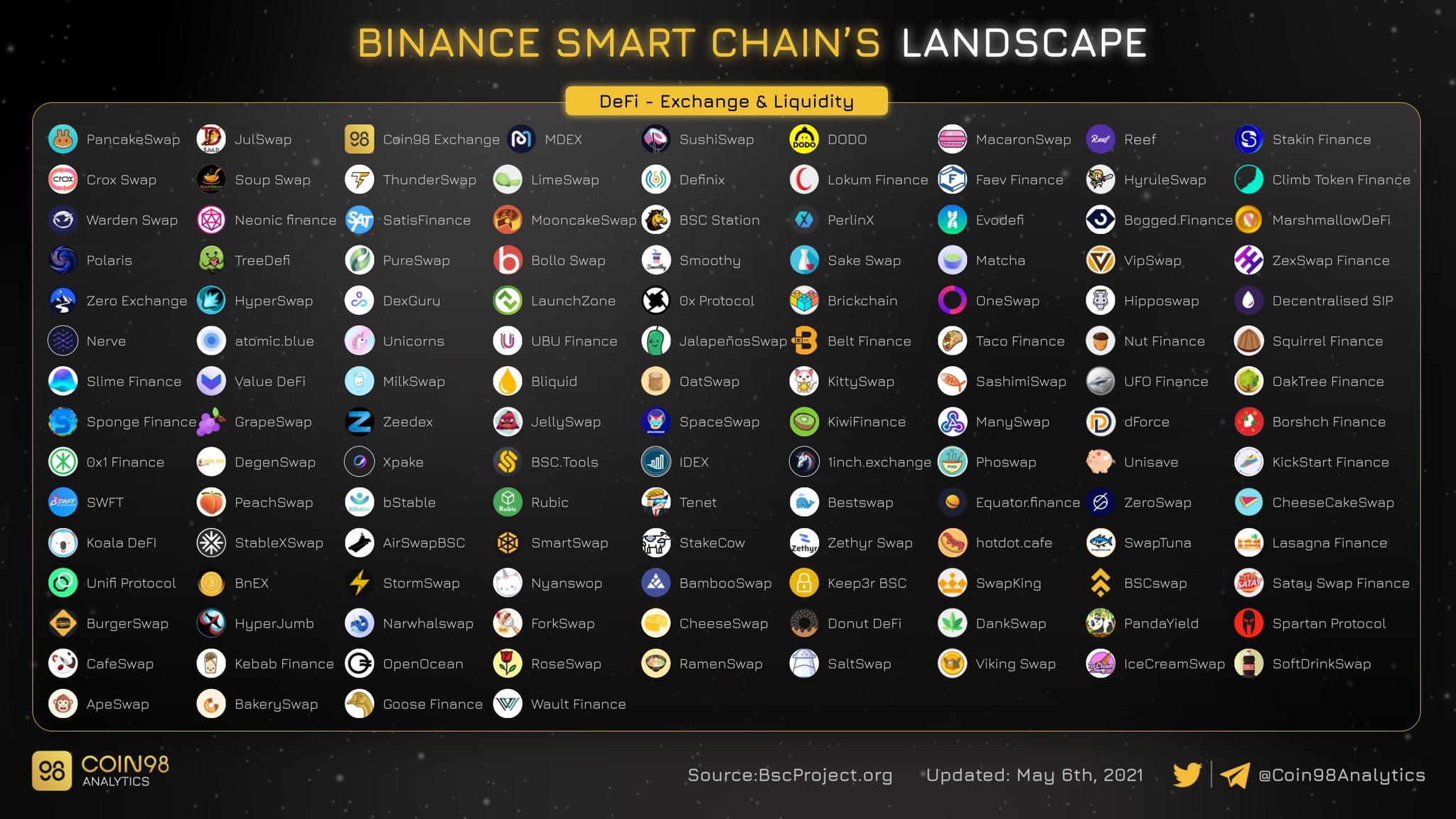
For an overview of more than just Defi, check out the Github of the ecosystem here. What are the most popular projects?
- PancakeSwap: The Uniswap v2 fork for BSC. Similar to SushiSwap, the fork has added a few extra features, namely staking, a lottery and NFT support, see the guide here and if you are not aware of AMMs, you might want to check out my guides of Uniswap v2, v3 and SushiSwap.
- Venus: The MakerDao and Compound fork of BSC is a money market where you can borrow and lend BEP-20 (ERC-20 on BSC) tokens.
- Autofarm: This is essentially the Yearn Finance for BSC. You can participate in a vault and it automatically tries to find the most optimal way for you to earn a yield on your deposits.
- BurgerSwap: BurgerSwap is also a popular AMM on BSC. You can do BEP-20 token swaps and provide liquidity. It implemented ERC-2917 and it for once is not a fork of Uniswap. They wanted to improve upon the incentive and governance model of Uniswap.
- Spartan Protocol: This is a combination of a liquidity pools based on AMMs, synthetics assets (tokenized derivatives) and a lending protocol.
- Cream: Cream is another popular lending protocol which exists on Ethereum and that is also deployed on BSC.


Join the conversation
Comments are hosted by Disqus and load only when you choose to enable them.